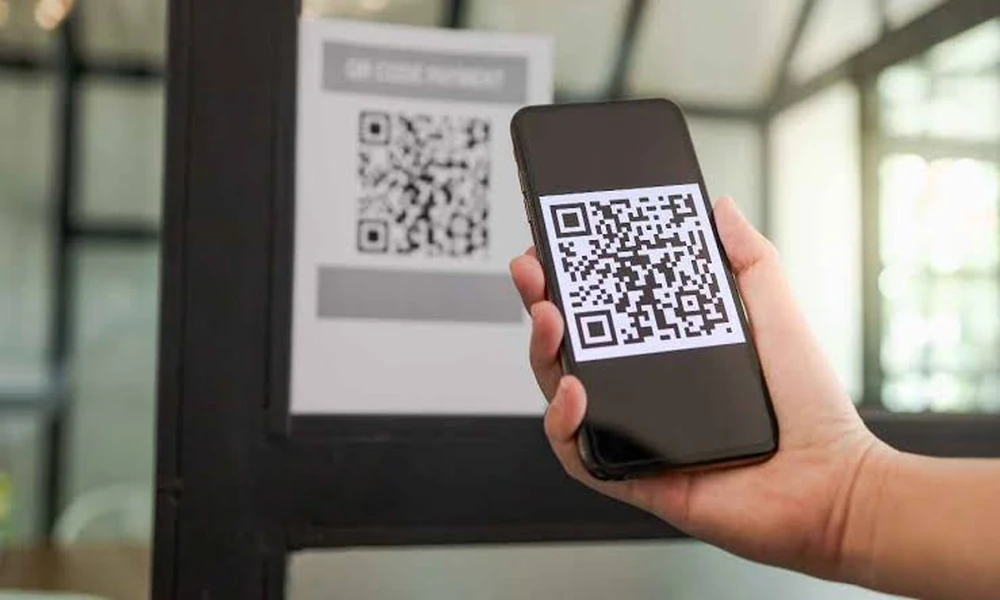

QR code payments have become a common way to complete everyday transactions. Customers use them at grocery stores, restaurants, shopping centres and local businesses to pay without handling cash. Although this payment method is convenient, it also creates opportunities for fraud when users scan unfamiliar or tampered codes.
QR scams can involve fake payment codes, misleading websites and fraudulent requests designed to trick customers into transferring money or revealing sensitive information.
Understanding how these scams work is important for anyone making digital payments. Customers should know how to verify payment details, recognise suspicious requests and protect their banking credentials.
This guide explains common QR payment scams, practical security precautions and the steps to take when a suspicious transaction occurs.
What Are QR Code Payment Scams?
A QR code payment scam occurs when fraudsters misuse QR codes to deceive individuals into making unintended payments, visiting fraudulent websites or sharing confidential information.
A QR code itself is simply a way to store information. The risk depends on the destination or payment details contained in the code.
For example, a fraudster may place a fake QR code over a legitimate merchant’s payment code. When customers scan it, they may see payment details belonging to the fraudster.
If the customer fails to verify the recipient before authorising the transaction, money may be transferred to the wrong account.
Some scams also use QR codes to redirect users to imitation websites that request passwords or other sensitive details.
Common Types of QR Payment Scams
Recognising different fraud methods can help customers avoid suspicious payment situations.
Fake Merchant QR Codes
Fraudsters may replace or cover legitimate merchant QR codes with fraudulent ones.
A customer who scans the altered code may unknowingly initiate a payment to an unrelated account.
QR Codes Sent for Receiving Money
Scammers sometimes claim that a customer must scan a QR code to receive a refund, cashback reward or incoming transfer.
They may then instruct the customer to enter a UPI PIN.
A normal incoming UPI transfer does not require the recipient to enter a UPI PIN.
Fraudulent Payment Websites
Some QR codes direct users to websites that imitate legitimate payment or banking services.
These pages may request passwords, account details or verification codes.
Fake Customer Support Requests
Fraudsters may pretend to represent a payment service and send QR codes under the pretence of resolving a failed transaction.
Customers should verify such requests through official support channels rather than following unsolicited instructions.
How to Identify a Suspicious QR Code
A QR code may look genuine even when it contains fraudulent information.
Customers should therefore assess the source and payment details rather than relying on appearance alone.
Warning signs include:
- A QR sticker placed over another code
- An unfamiliar recipient name
- A request to enter a PIN to receive money
- Unexpected payment links
- Messages creating unnecessary urgency
- Requests to disclose banking credentials
- Payment details that differ from the merchant’s information
A suspicious code should not be scanned or used until its source has been verified.
Essential Security Checks Before Scanning a QR Code
A few precautions can reduce the risk of incorrect or fraudulent payments.
Check the QR Code Display
When paying at a physical store, examine whether the QR code appears altered or covered.
If anything looks unusual, ask the merchant to confirm the correct payment details.
Verify the Recipient
After scanning, check the displayed recipient name or payment address.
If the information does not match the intended merchant, cancel the transaction.
Confirm the Payment Amount
Before authorisation, verify that the amount matches the bill.
For static QR codes, customers may need to enter the amount manually.
Use Trusted Payment Channels
Complete payments through official applications and supported banking services.
Avoid downloading unfamiliar applications from links received through unsolicited messages.
Protect Authentication Details
Never disclose your UPI PIN, passwords or verification codes.
These credentials should remain confidential even when someone claims to represent a bank or payment service.
How to Scan and Pay Safely at Retail Stores
Using scan and pay at a retail counter involves more than pointing a phone camera at a QR code.
Customers should follow a consistent verification process before approving a transaction.
- Open a trusted payment application.
- Select the QR scanning option.
- Scan the merchant’s displayed code.
- Verify the recipient details.
- Enter or review the payable amount.
- Confirm the selected bank account.
- Authorise the payment using the required authentication.
- Check the final transaction status.
For example, if your purchase costs ₹650, confirm that the payment screen displays the intended merchant and ₹650 before proceeding.
After authorisation, retain the transaction reference when necessary.
If payment confirmation is delayed, check the original transaction status before attempting another transfer.
Why Customers Should Never Share Their UPI PIN
A UPI PIN is used to authorise eligible outgoing transactions from a linked bank account.
Fraudsters may attempt to obtain this information by claiming that it is required for refunds, account verification or payment collection.
Customers should understand that entering a UPI PIN can authorise a debit from their account.
Receiving a normal UPI payment does not require PIN entry.
If a caller or message asks you to disclose your PIN, stop the interaction.
Contact the relevant bank or payment provider through an official channel if clarification is necessary.
How Merchants Can Protect Customers From QR Scams
Customer payment security also depends on how merchants display and manage QR codes.
Businesses should regularly inspect payment codes displayed at their counters.
Check for QR Code Tampering
Inspect printed QR codes for unfamiliar stickers, damaged surfaces or altered payment information.
Replace any code that may have been compromised.
Display Payment Information Clearly
Where possible, show the merchant’s registered payment name near the QR code.
This can help customers compare the displayed recipient with the intended business.
Train Employees to Verify Payments
Employees should know how to check successful transactions through official merchant records.
A customer-provided screenshot alone should not be treated as proof of payment.
Report Suspicious Activity
If fraudulent QR codes or payment requests are identified, merchants should contact the relevant payment service and report the issue through appropriate channels.
What to Do if You Fall Victim to a QR Payment Scam
If you suspect that you have authorised a fraudulent payment, act promptly.
First, contact your bank through its official support channel and report the transaction.
Provide relevant details such as the amount, transaction date and reference number.
In India, suspected financial cyber fraud can also be reported through the national cybercrime helpline at 1930 or the official cybercrime reporting portal.
If banking credentials have been exposed, follow your bank’s instructions to secure the account.
Keep screenshots, messages and transaction records that may support the complaint.
Reporting a fraudulent payment quickly is important, although recovery of the amount is not guaranteed.
Building Safer Digital Payment Habits
Payment security improves when customers follow the same precautions during both small and large transactions.
Even a routine purchase should involve checking the recipient and amount.
Avoid scanning random QR codes received through messages, advertisements or unfamiliar websites.
Keep your phone protected with a screen lock and install application updates from trusted sources.
Review transaction history regularly to identify unexpected deductions.
Customers should also avoid approving unfamiliar payment requests or granting remote access to their devices.
These habits can reduce exposure to several common digital payment scams.
Choosing a Secure Payment Application
A Secure Payment App should provide appropriate authentication, clear transaction information and accessible payment history.
When selecting an application, users should consider whether it supports secure account access and displays recipient details before payment authorisation.
Transaction notifications can also help customers identify completed or unfamiliar payments.
However, an application’s security features do not eliminate the need for user verification.
Even when using a trusted payment service, scanning a fraudulent QR code and authorising the payment can result in money being sent to an unintended recipient.
Customers should therefore combine application security with careful payment habits.
Conclusion
QR code payments provide a practical way to complete everyday digital transactions, but customers should remain alert to fraudulent codes and misleading payment requests.
Verifying recipient details, confirming payment amounts and protecting authentication credentials are important steps in reducing QR scam risks.
Merchants can also support customer safety by inspecting displayed codes and maintaining accurate transaction records.
If suspicious activity occurs, prompt reporting through official banking and cybercrime channels is essential.
Following consistent security practices can help customers use QR payments more safely while avoiding preventable financial mistakes.
Frequently Asked Questions
1. How Can I Identify a Fake QR Code?
Check for signs of tampering and verify the displayed recipient details before authorising any payment. A QR code’s appearance alone cannot confirm whether it is genuine.
2. Can Scanning a QR Code Automatically Deduct Money?
Simply scanning a QR code through a normal UPI payment process does not ordinarily authorise a debit. Customers must complete the required payment authentication.
3. Is a UPI PIN Required to Receive Money Through a QR Code?
No. Receiving a normal UPI payment does not require the recipient to enter a UPI PIN.
4. What Should I Do After Making a Payment to a Fraudulent QR Code?
Contact your bank immediately, report the transaction through official channels and file a cybercrime complaint where appropriate.